RPi Pico CTF - Hc0n 2026
Overview
This is the badge that was used for the Hardware / Reversing CTF at hc0n 2026. It is a Raspberry Pico 2 with the procesor 2350 using RISC-V, here is the official github of the CTF, where you can get the firmware if you want to try it yourself.
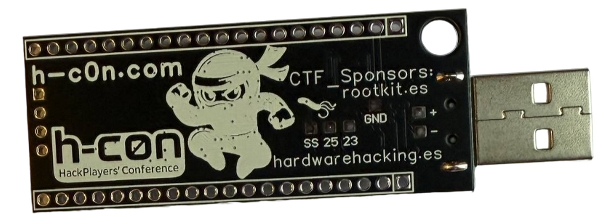
To connect to the pico i used minicom:
minicom -b 115200 -D /dev/ttyAMC0
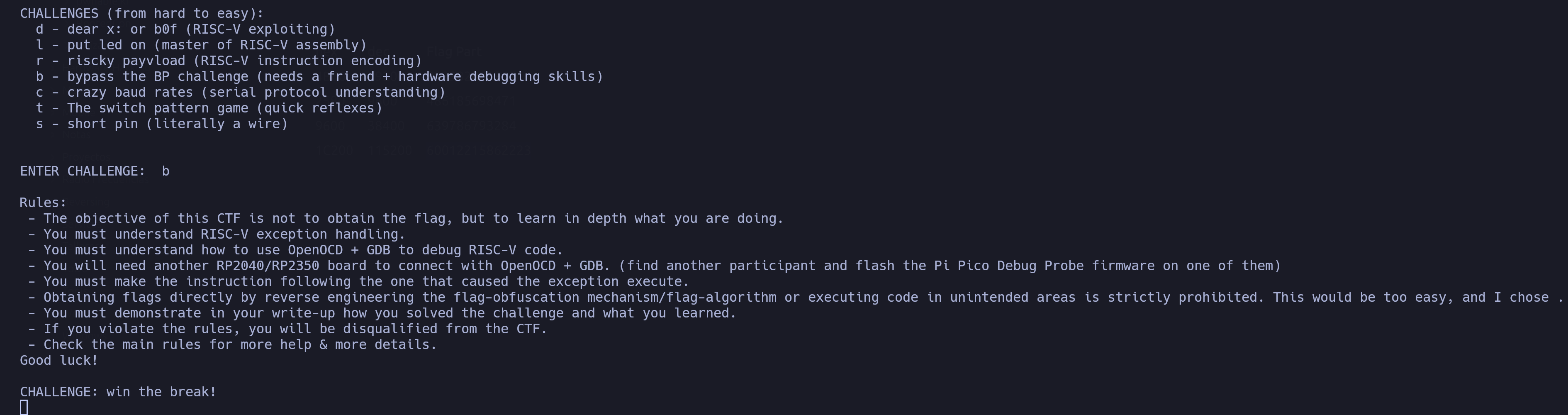
So a prompt showed up and you could choose the challenge:
======================================

Tips, Info & Rules:
 - I've created a custom trap handler for RISC-V, I hope it helps you with the CTF :).
 - Between each challenge, I recommend disconnecting and reconnecting the USB cable to ensure a clean state.
 - If the firmware becomes corrupted, you can restore it using the CTF password displayed at startup. Download the recovery firmware from the CTF website using your password.
 - The board is equivalent to a Raspberry Pi Pico 2 (RP2350).
 - The objective of this CTF is not to obtain the flag, but to learn in depth what you are doing.
 - You must demonstrate in your write-up how you solved the challenges and what you learned.
 - If you violate the rules, you will be disqualified from the CTF.
 - The use of OpenOCD + GDB for hardware debugging of the RISC-V platform will be highly valued.
 - The use of exploitation and reverse engineering techniques will be highly valued.
 - The use of a RISC-V emulator (such as Spike) to understand the internal workings will be highly valued.
 - The use of GHidra or other reverse engineering tools to analyze the firmware will be highly valued.
 - To craft payloads, you can use the pico-sdk to write C code, compile it, and then analyze the resulting RISC-V binary with objdump.
 - I've included all the build information so you can recreate an environment identical to mine. This allows you to extract function signatures from the pico-sdk and use tools like Diap.
 - Obtaining flags directly by reverse engineering the flag-obfuscation mechanism/flag-algorithm or executing code in unintended areas is strictly prohibited. This would be too easy, an.
Good luck!

... [snip] ...

-------------------------------------------------------------------
  i - CTF Main Rules, Tips & more info
  h - This help message
-------------------------------------------------------------------
CHALLENGES (from hard to easy):
  d - dear x: or b0f (RISC-V exploiting)
  l - put led on (master of RISC-V assembly)
  r - riscky payvload (RISC-V instruction encoding)
  b - bypass the BP challenge (needs a friend + hardware debugging skills)
  c - crazy baud rates (serial protocol understanding)
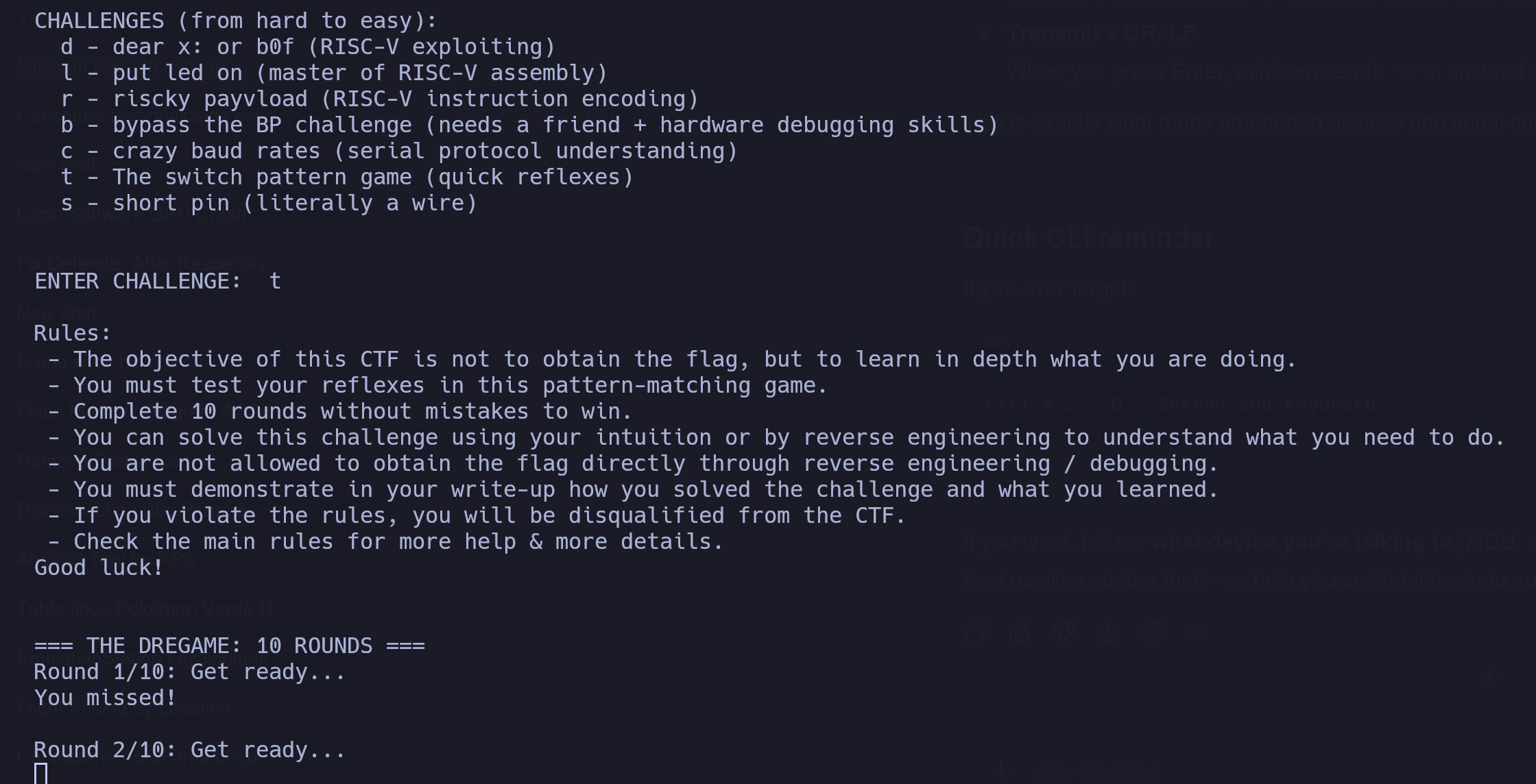
  t - The switch pattern game (quick reflexes)
  s - short pin (literally a wire)
With
minicomto sendCR-LFyou have to hitEnterand thenCTRL+J
Challenges
Short Pin
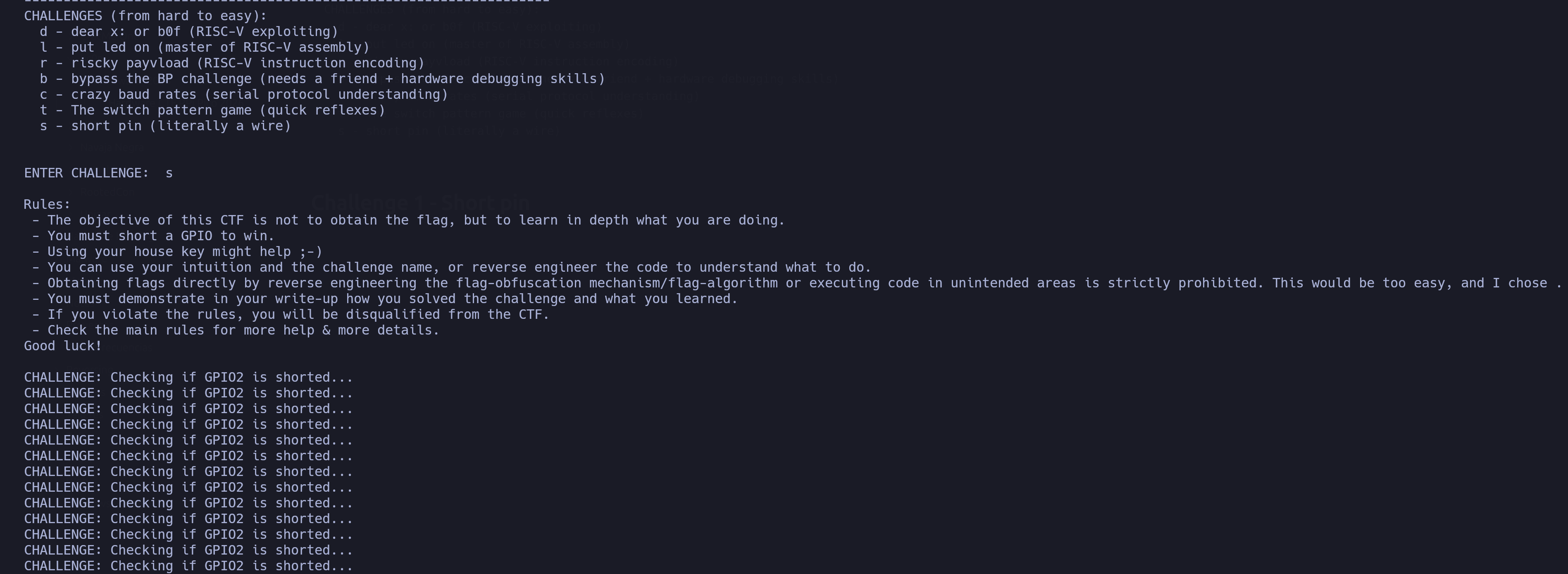
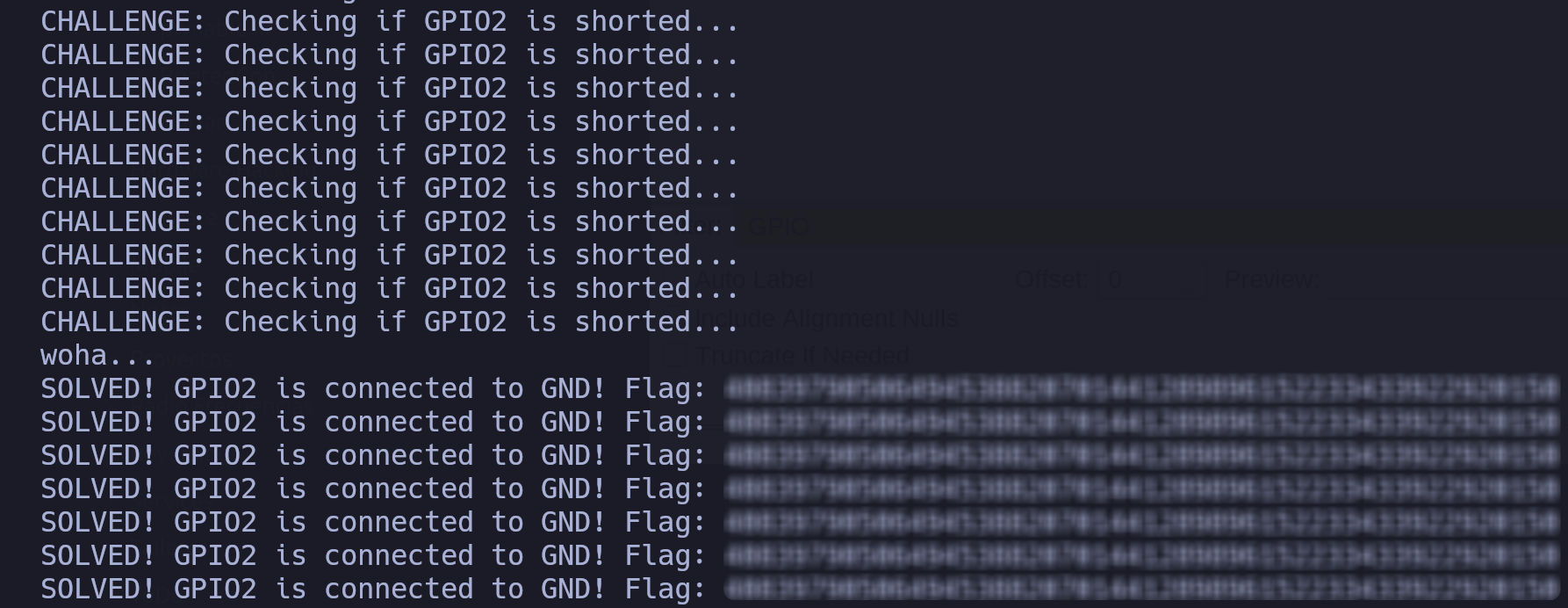
Once you enter the challenge the string Cheking if GPIO2 is shorted... shows up.
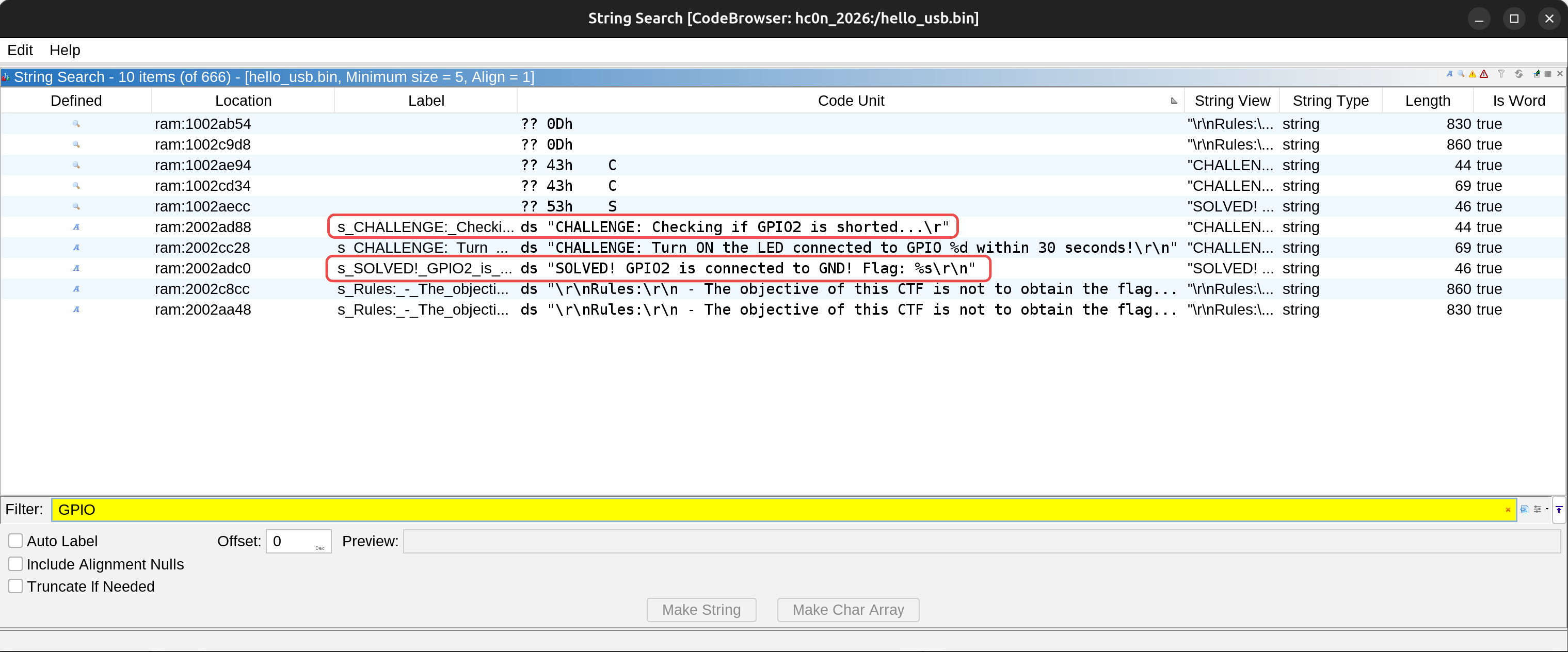
Looking into Ghidra for strings you can find that GPIO2 has to be shorted to GND in order to retrieve the flag
If you short GPIO2 with GND pin next to it you will get the flag
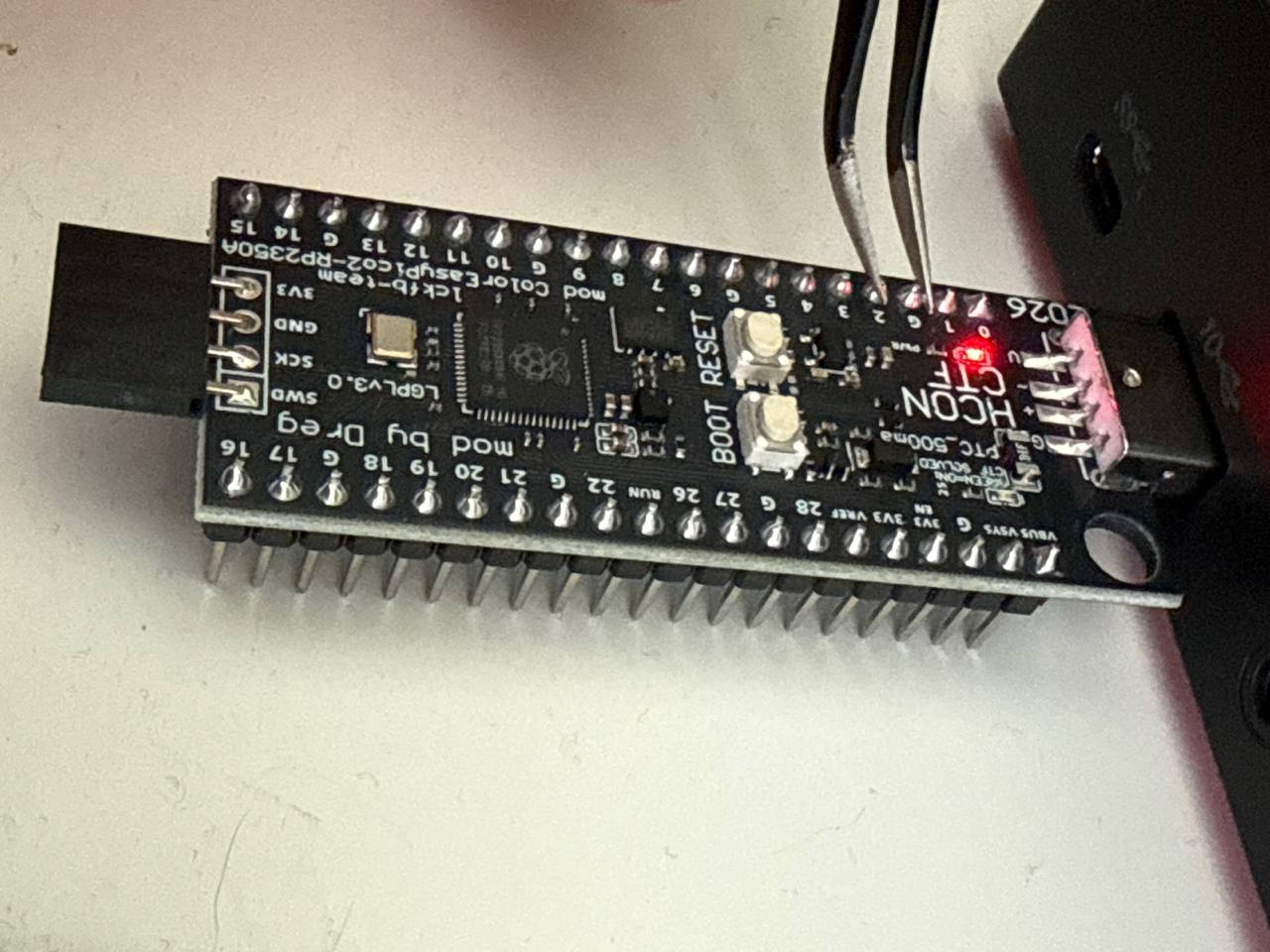
Once it is shorted, we can see the flag:
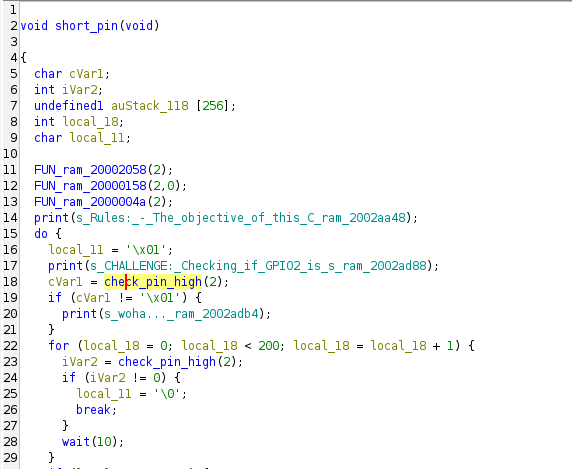
After renaming some functions, we can see what the code is doing:
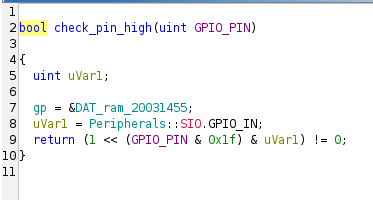
If we take a look into the function check_pin_high, we see 2 as an argument (for the GPIO2 pin):
This functions checks if the pin number in the argument is HIGH
Switch pattern game
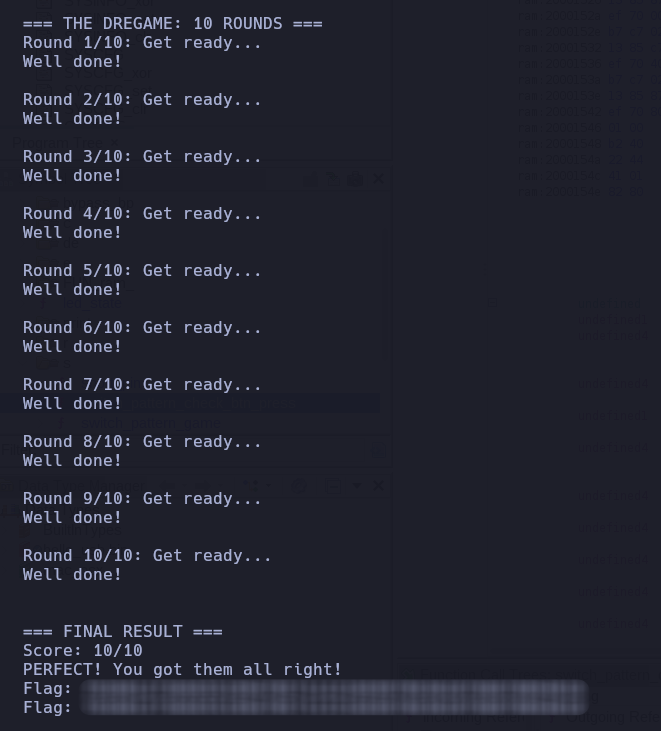
This challenge starts a game with 10 rounds:
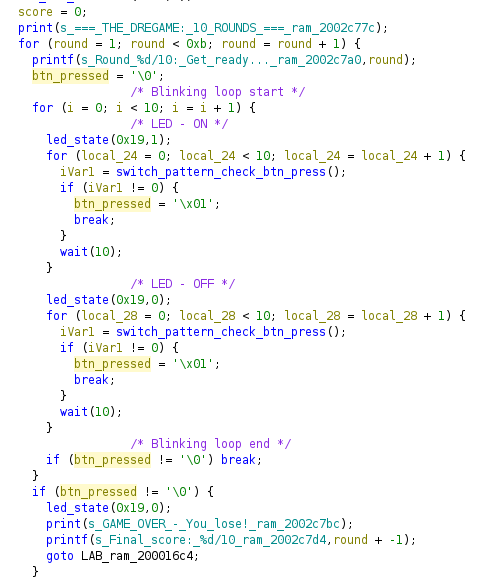
After some reversing and renaming we can see:
-
First we have a loop where the led is blinking, if the button is pressed we loose and then the game starts over:
-
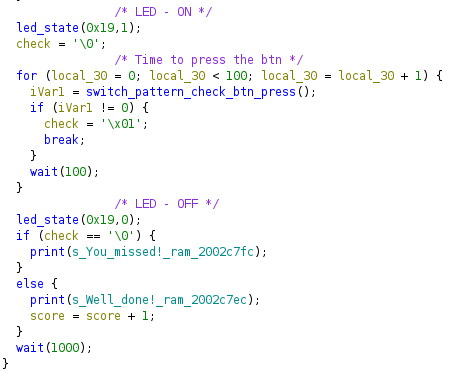
After the blinking, the led keeps on and we have some time to press the button:
-
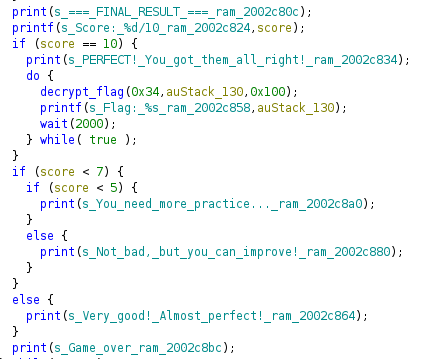
If we win the 10 rounds we’ll get the flag:
How do we know that is the BOOTSEL button:
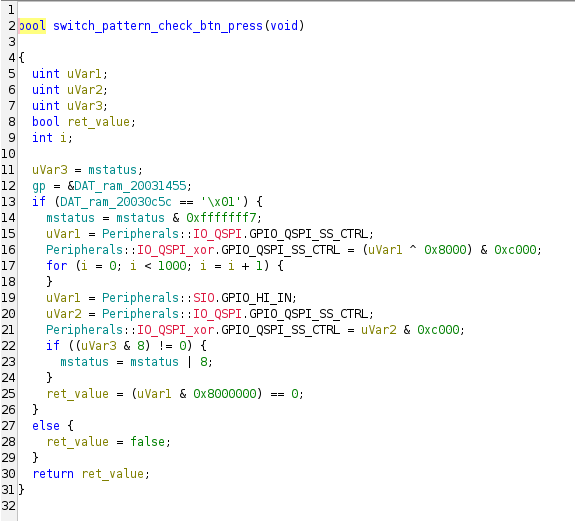
Peripherals::IO_QSPI_xor.GPIO_QSPI_SS_CTRL = (uVar1 ^ 0x8000) & 0xc000;
The BOOTSEL button is connected to the QSPI SS (chip select) pin.
uVar1 = Peripherals::SIO.GPIO_HI_IN; // Read the pin state
ret_value = (uVar1 & 0x8000000) == 0; // Bit 27 = 0 means button pressed (active low)
The BOOTSEL button pulls the pin LOW when pressed. So the function returns true (button pressed) when bit 27 of GPIO_HI_IN is 0.
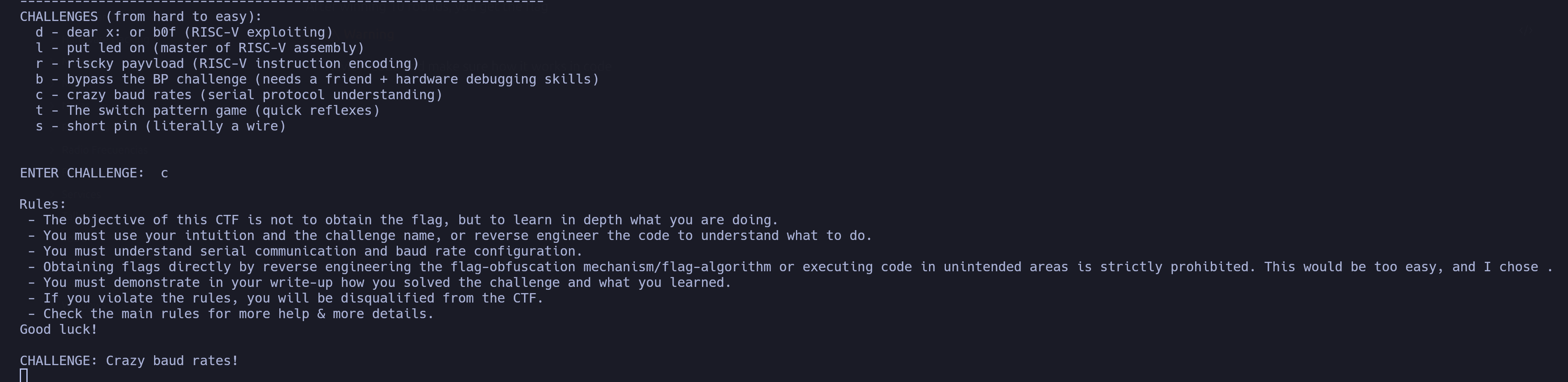
Crazy baudrates
As the name suggests, this challenge has to do with baudrates, again we have a clue with the output when we start the challenge:
Reviewing the code of the function, we can see what looks like the baudrates that will be used to show the different parts of the flag:
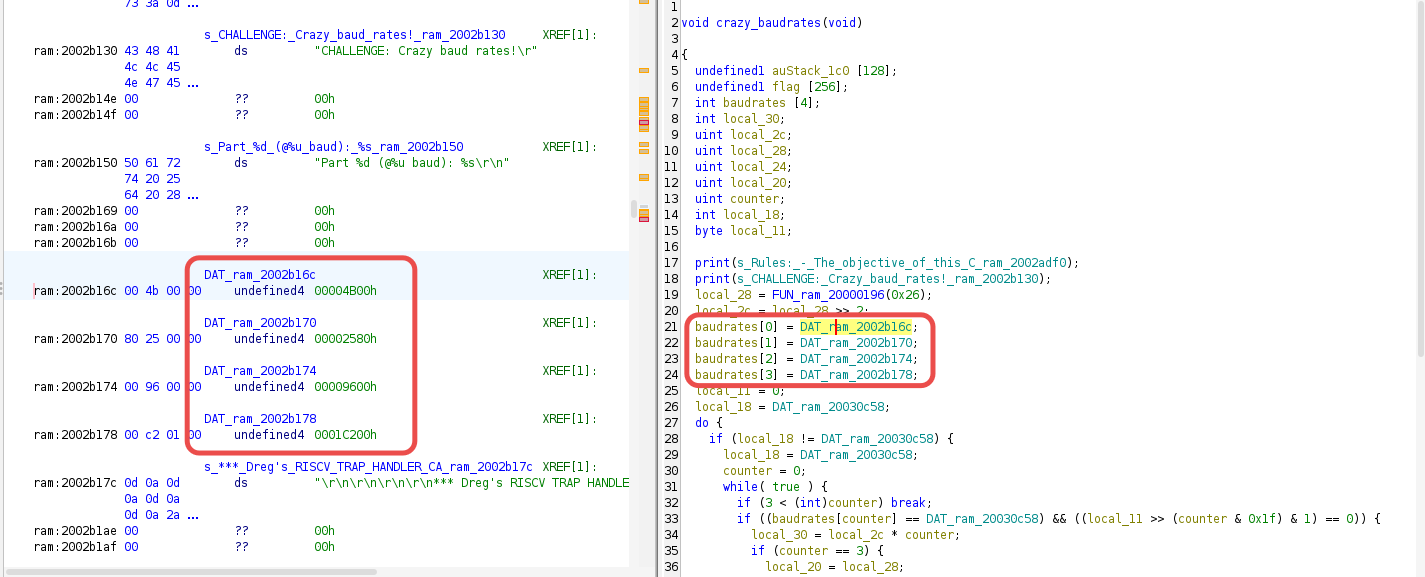
We just have to connect to the device using the baudrates used in the function to get each part of the flag:
| hex | dec |
|---|---|
| 4B00 | 19200 |
| 2580 | 9600 |
| 9600 | 38400 |
| 1C200 | 115200 |
minicom -b 19200 -D /dev/ttyAMC0
Bypass BP
In this challenge we need a debugger for RPi Pico, so we will be using debugprobe, a firmware that can be flashed on another RPi Pico in order to debug a Pico. Also, we’ll use openocd and riscv32-unknown-elf-gdb, so we can debug gdb to debug the Pico.
openocd \
  -s /opt/rpitools/openocd/tcl/ \
  -f interface/cmsis-dap.cfg \
  -f target/rp2350-riscv.cfg \
  -c "set USE_CORE { rv0 }" \
  -c "adapter speed 5000" \
  -c "gdb breakpoint_override hard" \
  -c "init"
riscv32-unknown-elf-gdb -q \
  -ex "set pagination off" \
  -ex "set remote interrupt-on-connect off" \
  -ex "target remote localhost:3333" \
  -ex "monitor targets rp2350.rv0" \
  -ex "monitor halt" \
  -ex "info reg"
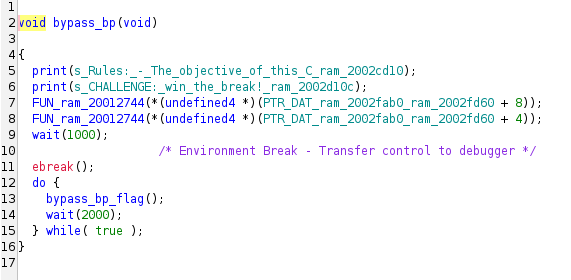
Once we start debugging we see that the program stops at ebreak, this function is used to give the control of the processor to the debugger:
(remote) gef➤  x/20i $pc-20
   0x20001b0e:  lw      a5,-672(a5)
   0x20001b12:  lw      a5,4(a5)
   0x20001b14:  mv      a0,a5
   0x20001b16:  jal     0x20012744
   0x20001b1a:  li      a0,1000
   0x20001b1e:  jal     0x20004ce4
=> 0x20001b22:  ebreak
   0x20001b24:  addiw   t6,t6,-19
   0x20001b26:  li      a0,2000
   0x20001b2a:  jal     0x20004ce4
   0x20001b2e:  j       0x20001b24
   0x20001b30:  addi    sp,sp,-32
   0x20001b32:  sw      ra,28(sp)
   0x20001b34:  sw      s0,24(sp)
   0x20001b36:  addi    s0,sp,32
   0x20001b38:  sb      zero,-17(s0)
   0x20001b3c:  lui     a5,0xd0000
   0x20001b40:  lw      a5,0(a5)
   0x20001b42:  sw      a5,-24(s0)
   0x20001b46:  li      a0,100
If we check the function, we can see that after bypassing that ebreak we’ll get the flag:
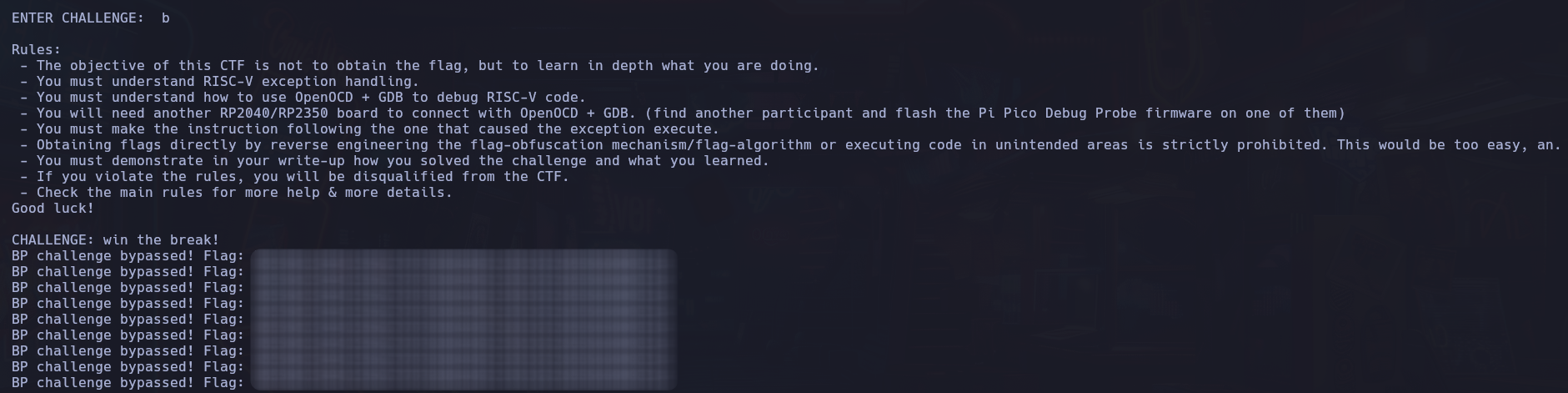
To be able to bypass the ebreak and get the flag, we can patch it with a NOP and continue:
(remote) gef➤ set *(unsigned short *)0x20001b22 = 0x0001
(remote) gef➤ continue
Riscky payvload
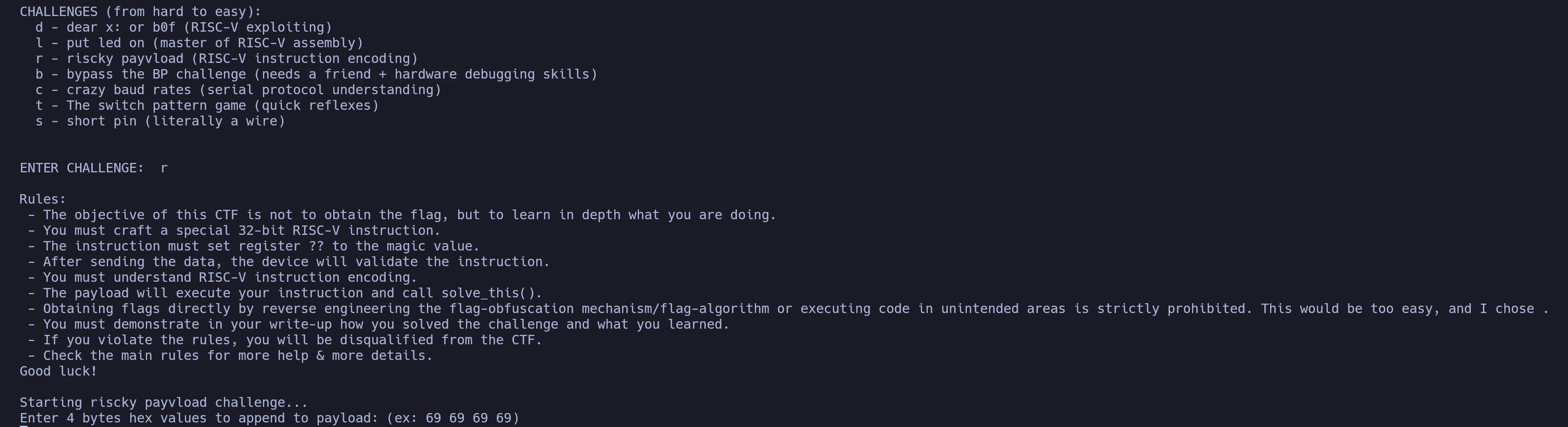
Here the challenge is asking to send a 4 byte payload:
RISC-V is little endian
We see that the function performs a check once we enter a payload:
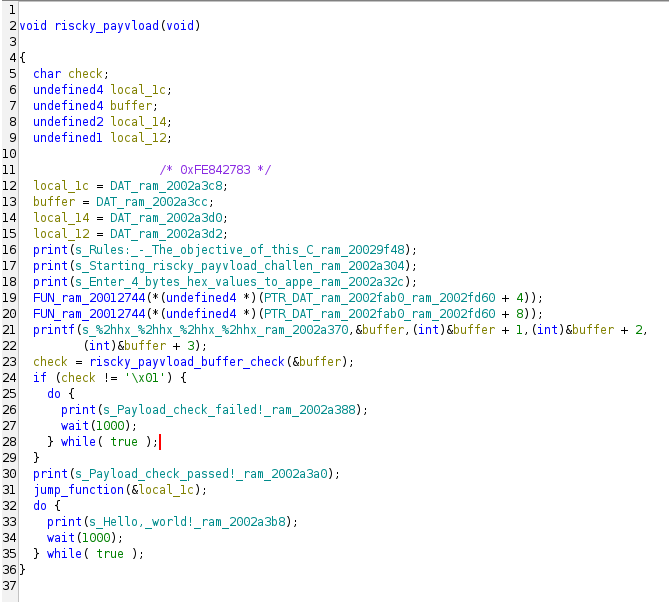
Checking the code we see the check function:
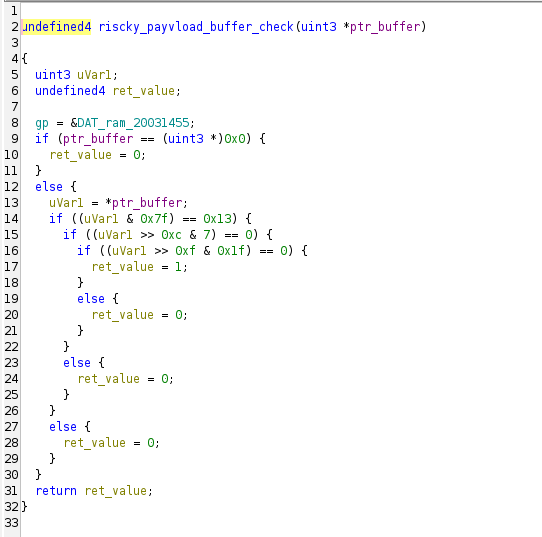
The function checks three conditions on uVar1 (which is *ptr_buffer):
(uVar1 & 0x7f) == 0x13- The lowest 7 bits must equal 0x13(uVar1 >> 0xc & 7) == 0- Bits 12-14 must be 0(uVar1 >> 0xf & 0x1f) == 0- Bits 15-19 must be 0
Using the payload 13 00 00 00 (it’s lin little endian) passes the check but is not using the “Magic Byte”
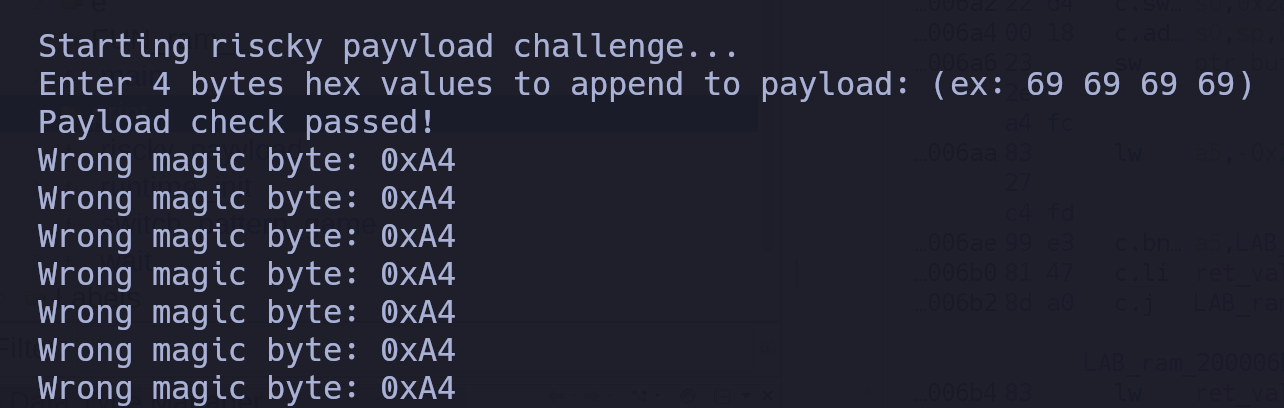
After that, we can see that jump_function is called, with a pointer to local_1c, but we have to take a look to how this function was coded:
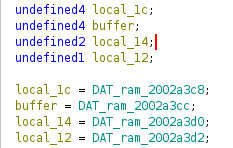
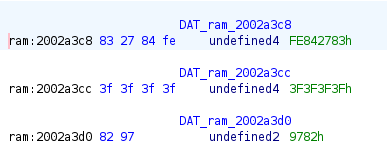
local_1c: 83 27 84 FE → lw a5, -0x18(s0)
buffer: our payload
local_14: 82 97 → jalr ra, a5, 0 (c.jalr a5)
lw a5, -0x18(s0)— loads the address0x20000604(the flag function) from the stack frame intoa5- We control this execution
c.jalr a5— jumps to0x20000604which isriscky_payvload_magic_byte_check
So we end up at the flag function:
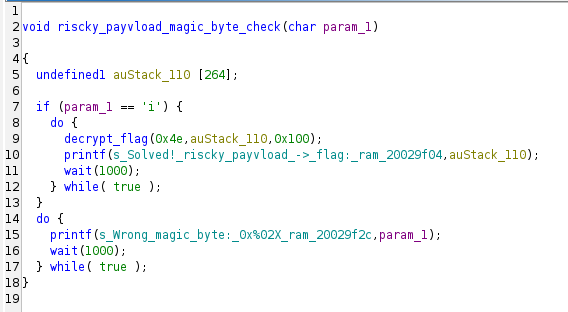
We see that is checking param1 value, as we control that param with our payload, we need to give a hex value that passes an i to the function, but keeping in mind that we need to pass the check
We end up with the payload 13 05 90 06
Then make sure it makes sense with r2
r2 -a riscv -b 32 malloc://0x00040000

105 in ascii is i

Turn the LED on
Intended way
Here we are asked to enter a pyload of maximum 99 bytes:
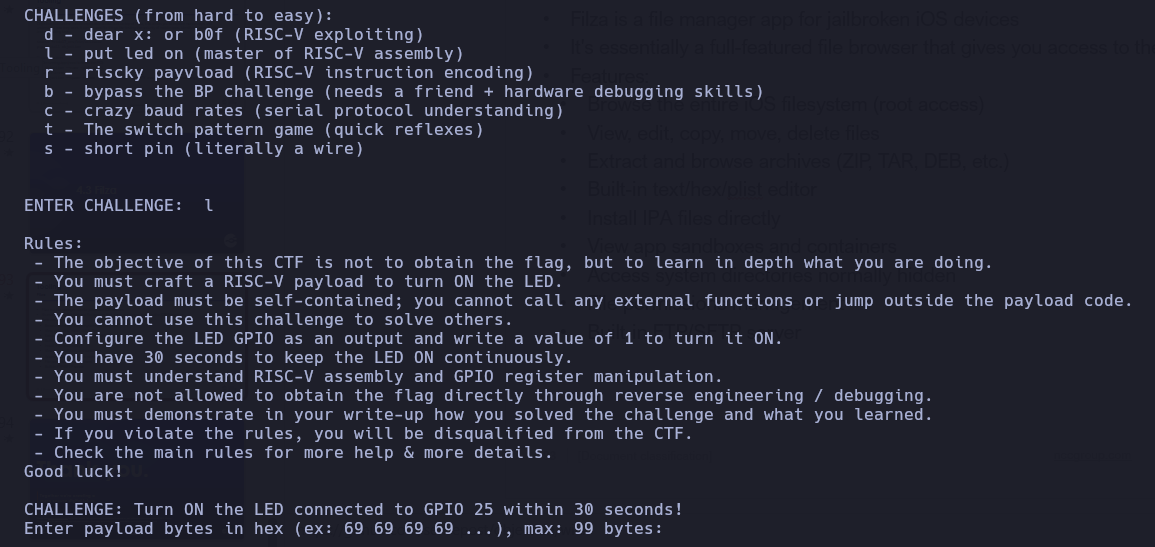
When sending the payload 12 12 12 12 12 12 12 12 12 12 12 12 12 41 41 41 41
We can see that the program fails, but the PC is 0x20030bc0
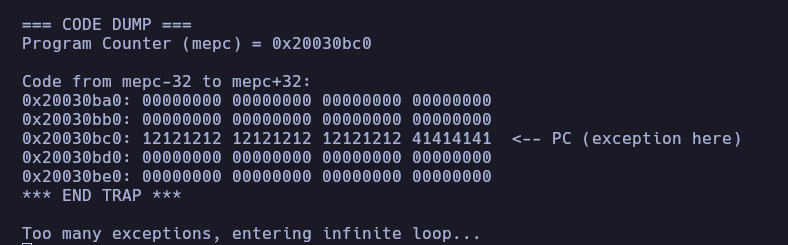
That memory region, is filled with our payload
We can see in the firmware that then, that memory regions is called as a function
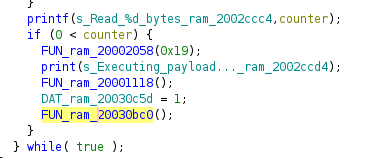
Searching for strings we found where the flag is printed, but this is called in the main function
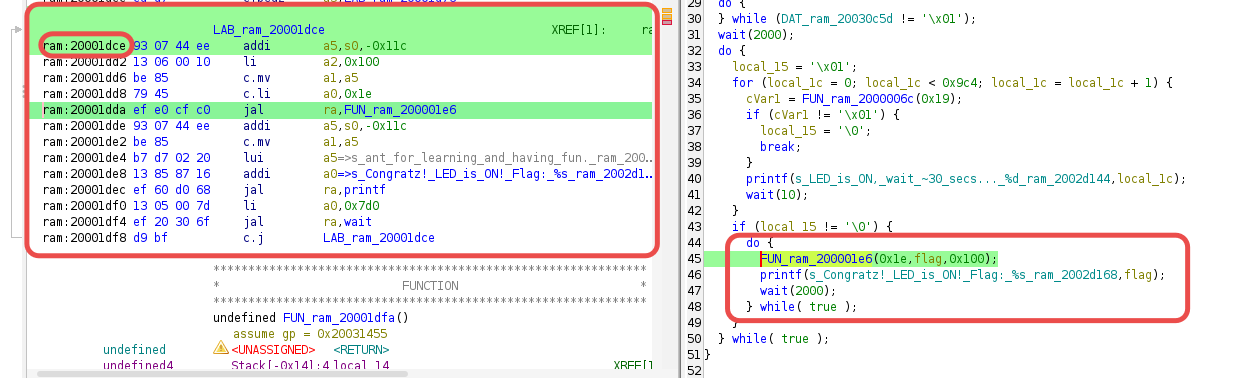
As this is a multi-thread architecture, we can guess that the main function is being executed in one thread, and the challenge in another thread
If we check both funtions (main and the challenge function), we can see that in main the program enters a while loop until DAT_ram_20030c5d equals \x01, and that value is setted to \x01 in the challenge function.
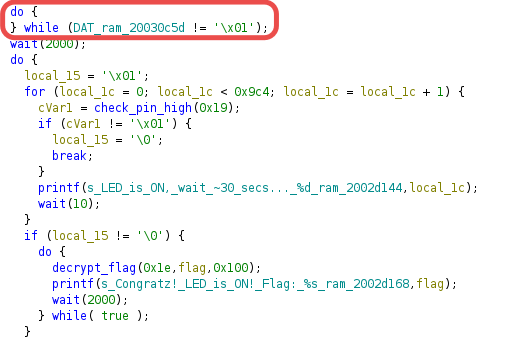
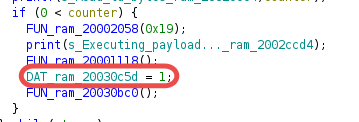 After that, the
 main function checks if the pin 0x19 (25 in dec, the one attached to the LED) is HIGH, if it is, it will print the flag.
So here we can ask ChatGPT or Claude to have a hex playload that puts pin 25 in HIGH:
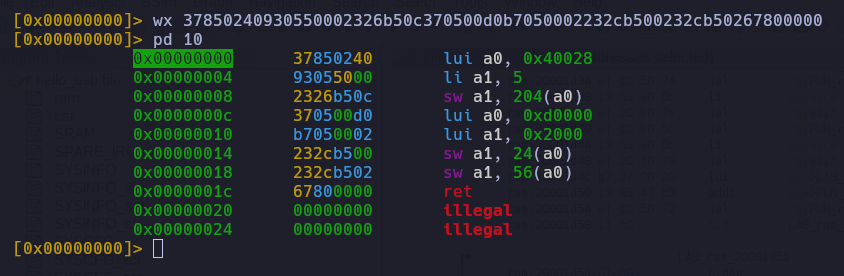
37 85 02 40 93 05 50 00 23 26 b5 0c 37 05 00 d0 b7 05 00 02 23 2c b5 00 23 2c b5 02 67 80 00 00
If we check it with r2:
r2 -a riscv -b 32 malloc://0x00040000
We can see the asm code
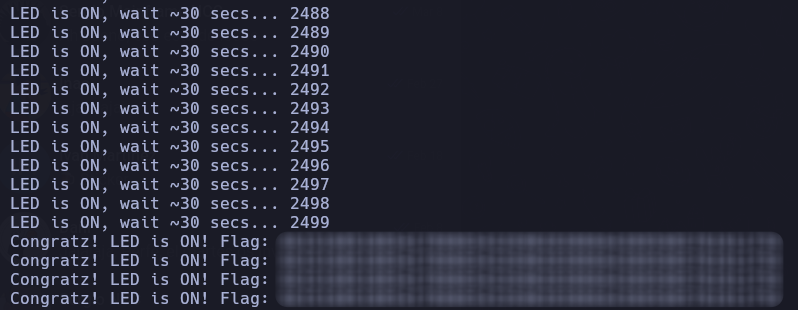
Once we enter the payload, we’ll have to wait some time and then the flag will be printed:
Unintended way
Here we are asked to enter a pyload of maximum 99 bytes:
When sending the payload 12 12 12 12 12 12 12 12 12 12 12 12 12 41 41 41 41
We can see that the program fails, but the PC is 0x20030bc0
That memory region, is filled with our payload
We can see in the firmware that that function is called
Searching for strings we found where the flag is printed
We can ask ChatGPT to give us the hex values for that asm:

Here I investigated how jumps in risc-v work, it doesn’t jump to an specific address but with offset, first I tried to compile my own program for Pico RISC-V, but I wasn’t getting the right jump, so that’s why I used
ClaudeandChatGPT, but it wasChatGPTthe one who gave me the right hex code for the asm I needed
Then make sure it makes sense with r2
r2 -a riscv -b 32 malloc://0x00040000

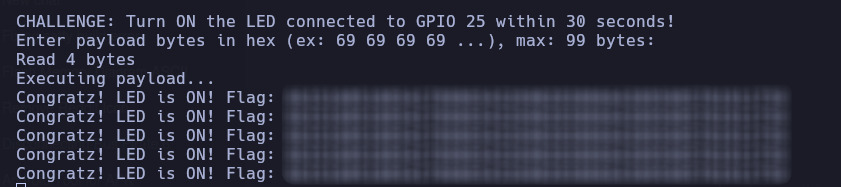
If we send the payload 6f 10 ed a0 it will jump to the flag print code:
Dear X: or b0f
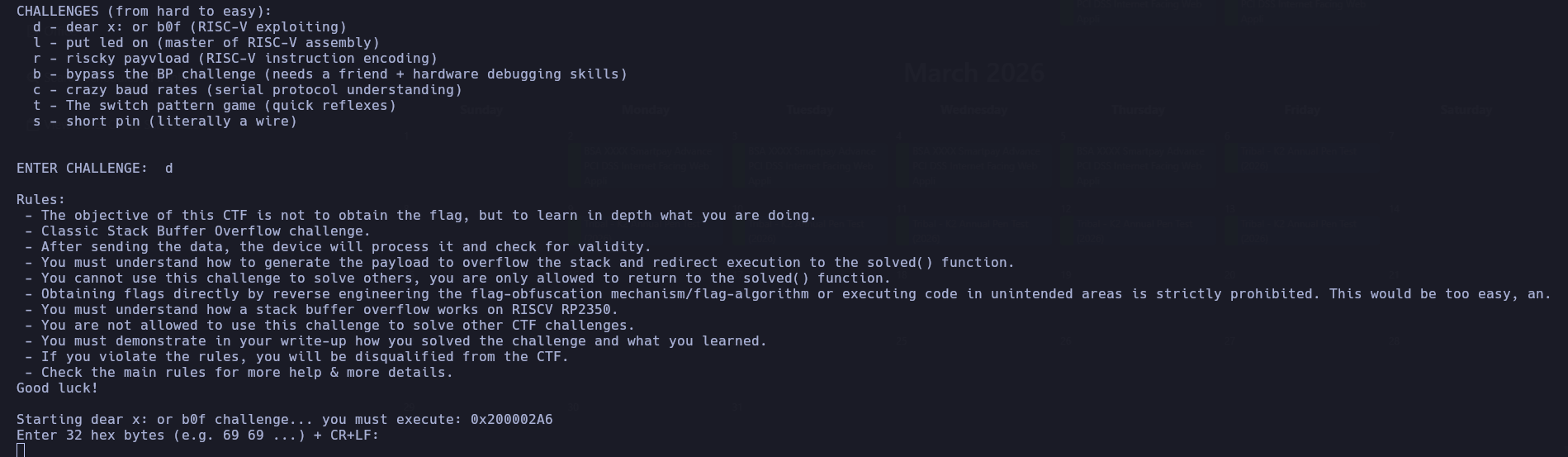
In this challenge, we are asked to enter a payload fo 32 bytes:
The function of the challenge counts how many bytes have you entered:
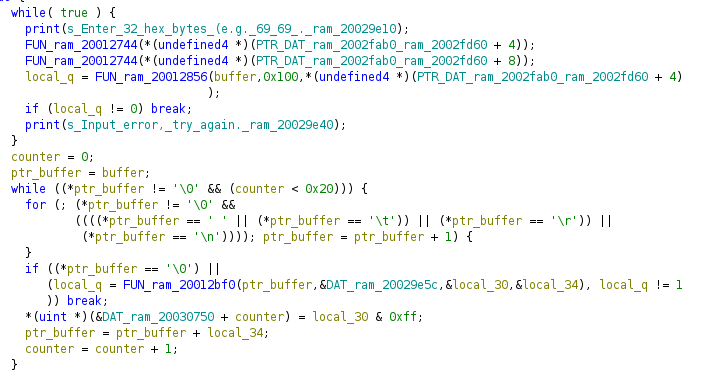
If it has 0x20 (32) bytes, it performs an XOR of the payload with the bytes you sent, the XOR key is at 0x2002fd50
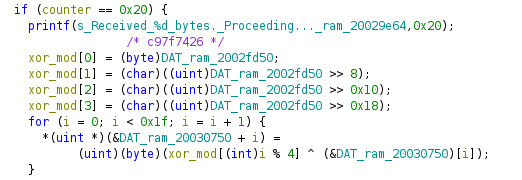
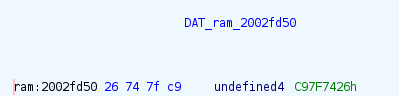
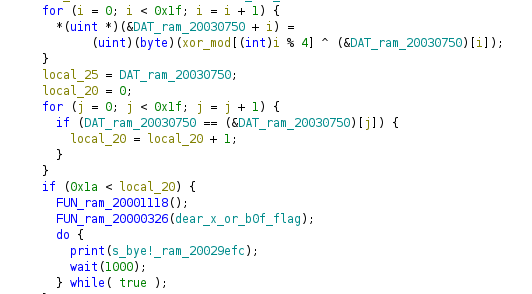
if 0x1a (26) bytes are equal it will pass the validation
If you sent a payload where all the bytes are equal but the address does not exist, it will crash and will give you some debug info, in this case the payload 80 d2 d9 6f 80 d2 d9 6f 80 d2 d9 6f 80 d2 d9 6f 80 d2 d9 6f 80 d2 d9 6f 80 d2 d9 6f 80 d2 d9 6f was sent, if we 80 d2 d9 6f ^ 26 74 7f c9 (the key) = a6 a6 a6 a6:
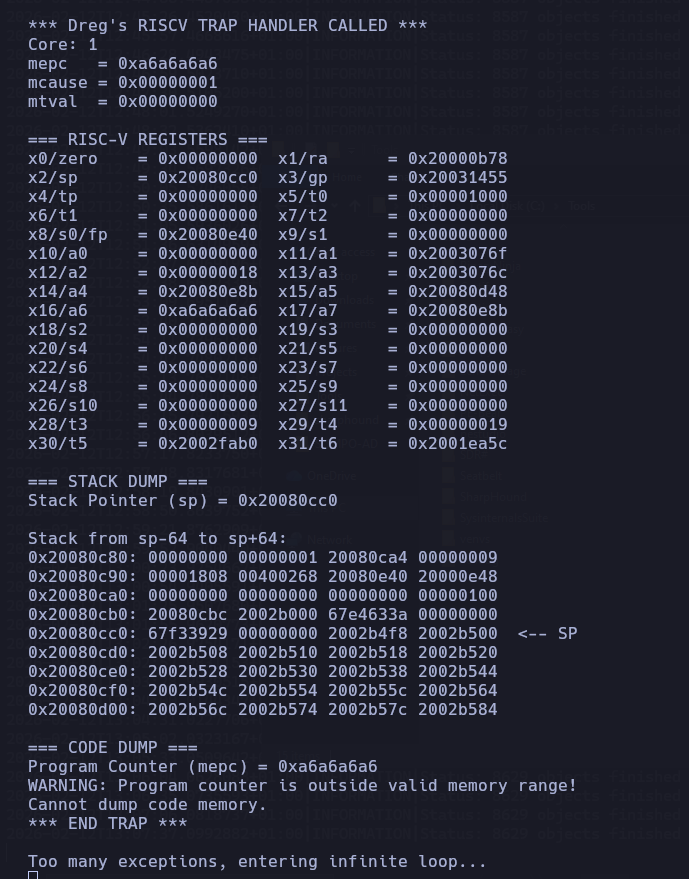
We can see that the pc is updated with the bytes sent in the payload
So now we can find where the flag function is
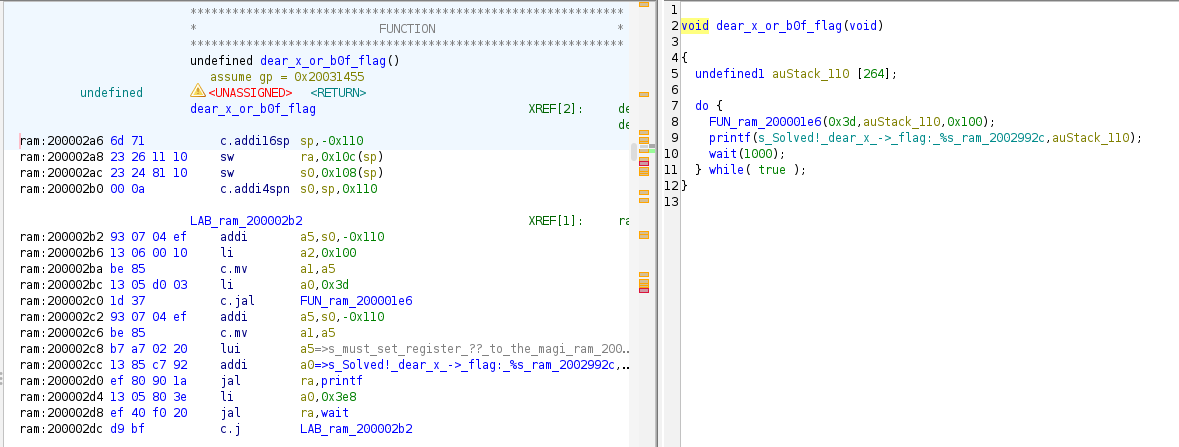
We see that the flag function is at 0x200002a6
We have to XOR the address with the key to send it within the payload
Without debugging, we can try / error method and add that address at different points of the payload, for example:
[80 76 7f e9] 80 d2 d9 6f 80 d2 d9 6f 80 d2 d9 6f 80 d2 d9 6f 80 d2 d9 6f 80 d2 d9 6f 80 d2 d9 6f
80 d2 d9 6f [80 76 7f e9] 80 d2 d9 6f 80 d2 d9 6f 80 d2 d9 6f 80 d2 d9 6f 80 d2 d9 6f 80 d2 d9 6f
After some tries, we can see that it uses th 5th position of the payload:
80 d2 d9 6f 80 d2 d9 6f 80 d2 d9 6f 80 d2 d9 6f 80 76 7f e9 80 d2 d9 6f 80 d2 d9 6f 80 d2 d9 6f